Introducing Advanced Asset Picker
Omeka S includes a basic asset manager - but as your site grows, a flat list of files quickly becomes hard to manage.
That’s why I built Advanced Asset Picker.
This module gives Omeka S a modern, organized asset library designed to make it easy to upload, manage, and insert images into pages, blog posts, and any CKEditor field - without changing how Omeka works under the hood.
Organize with Folders
Instead of a long, unstructured list of files, you can:
- Create nested folders
- Drag and drop uploads directly into a folder
- Move assets between folders
- Keep everything neatly organized
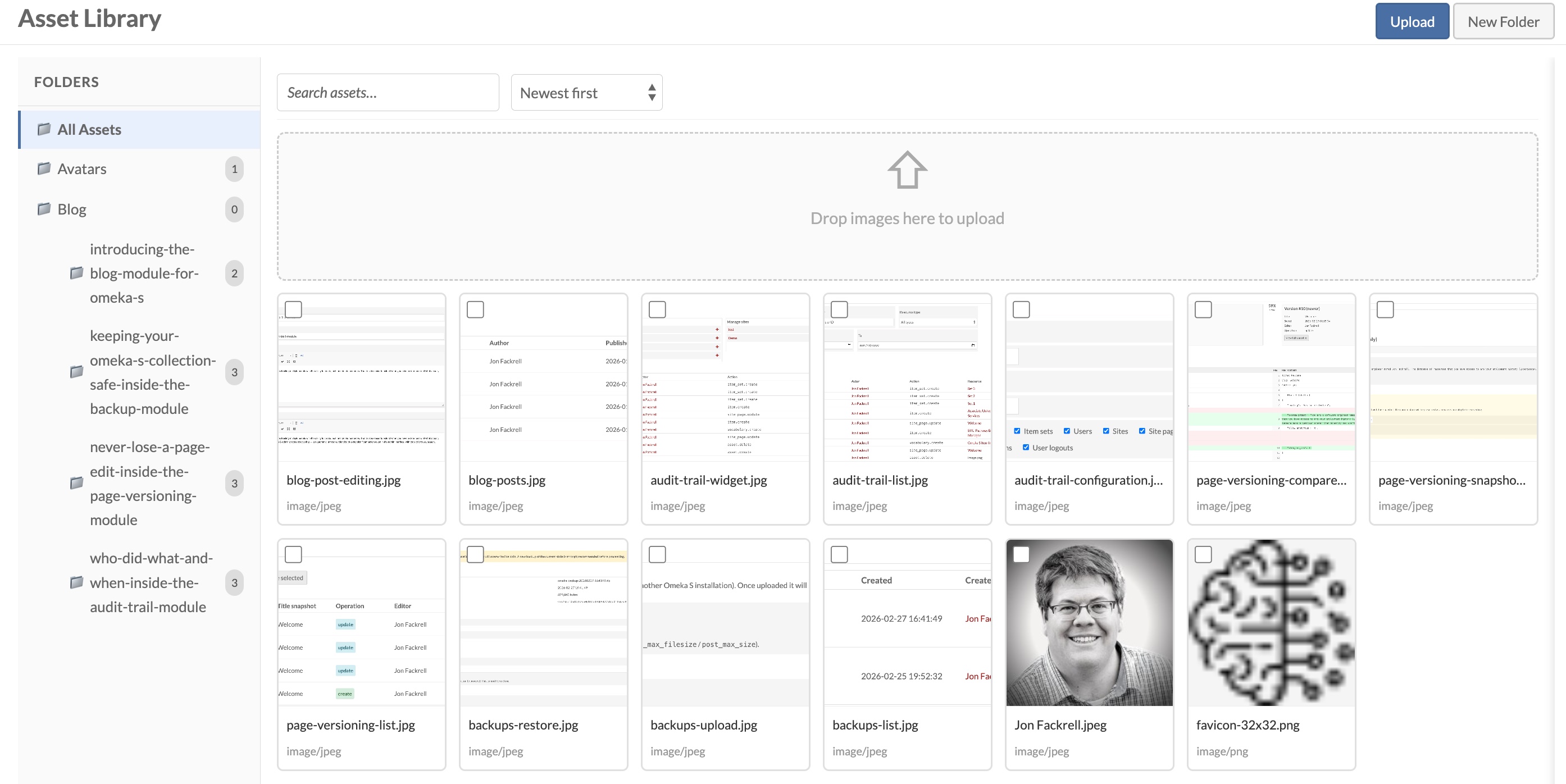
And because it uses Omeka’s existing Asset system, every file remains a standard Omeka asset.
Insert Images Without Leaving the Editor
Advanced Asset Picker adds an “Insert Asset” button to CKEditor.

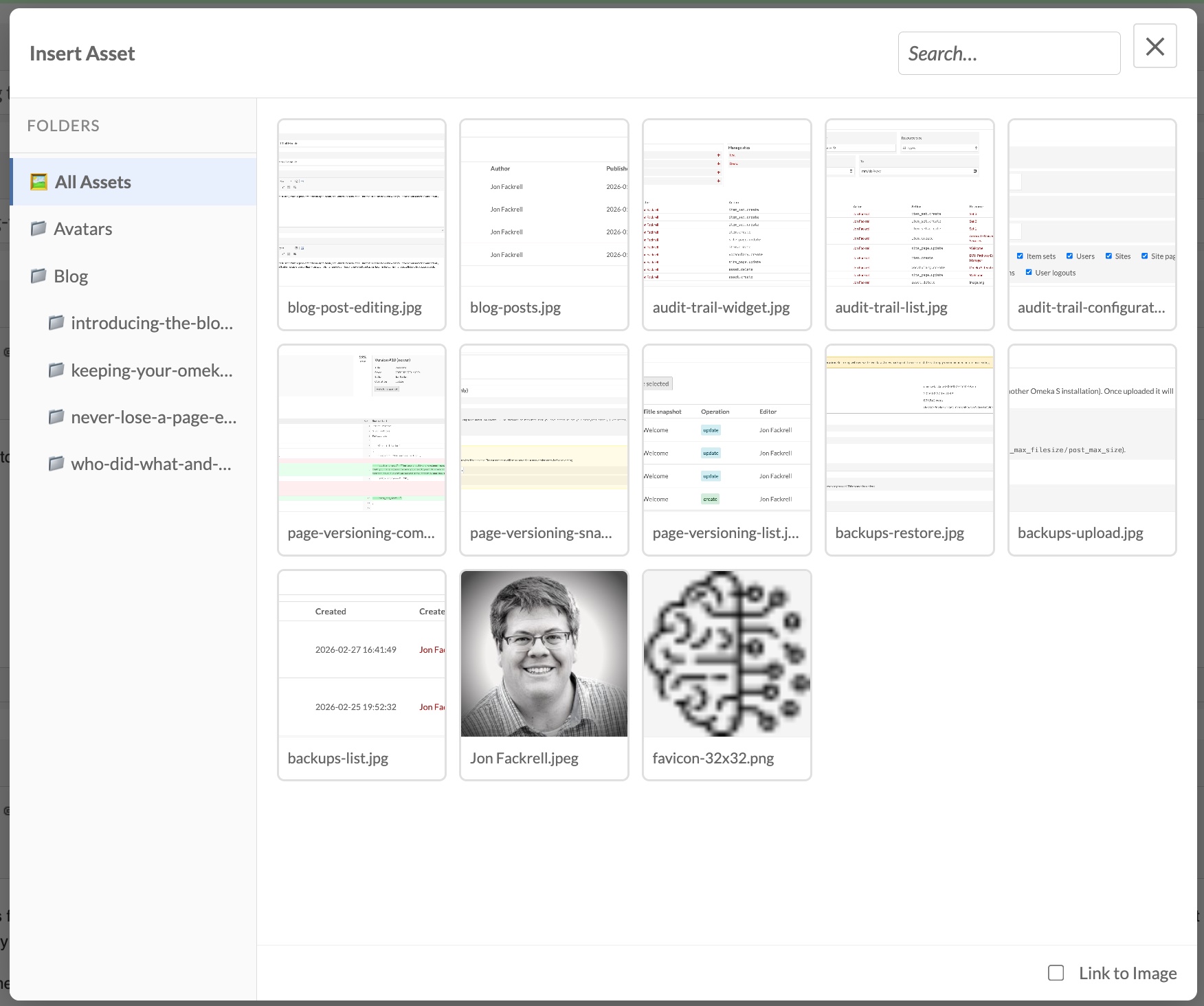
Anywhere you edit content (pages, blog posts, HTML blocks) you can:
- Open the Asset Picker
- Browse or upload an image
- Insert it directly into your content
No switching screens. No copying URLs. Just a smooth workflow.
Replace Files Without Breaking Links
Need to update an image? Simply replace the file.
The asset ID and URL stay the same, so your existing pages and posts continue working (no broken images, no manual updates).
It simply makes managing and inserting images in Omeka S easier.