Introducing Oral Archivist for Omeka S
Every collection has them: the shoebox of cassette digitizations, the folder of interview MP3s, the video of a beloved community member telling stories for two hours straight. They're often the most human things we hold and the least accessible. Nobody has time to listen through hours of tape to find the three minutes about the flood of '52.
Oral Archivist is a new module for Omeka S that changes that. Upload an interview, and AI turns it into something a visitor can actually use: a readable transcript synchronized with the audio, chapters you can jump between, and search that takes you to the exact moment a word is spoken. And because this is cultural heritage work, nothing goes public until a real person has reviewed and approved it.
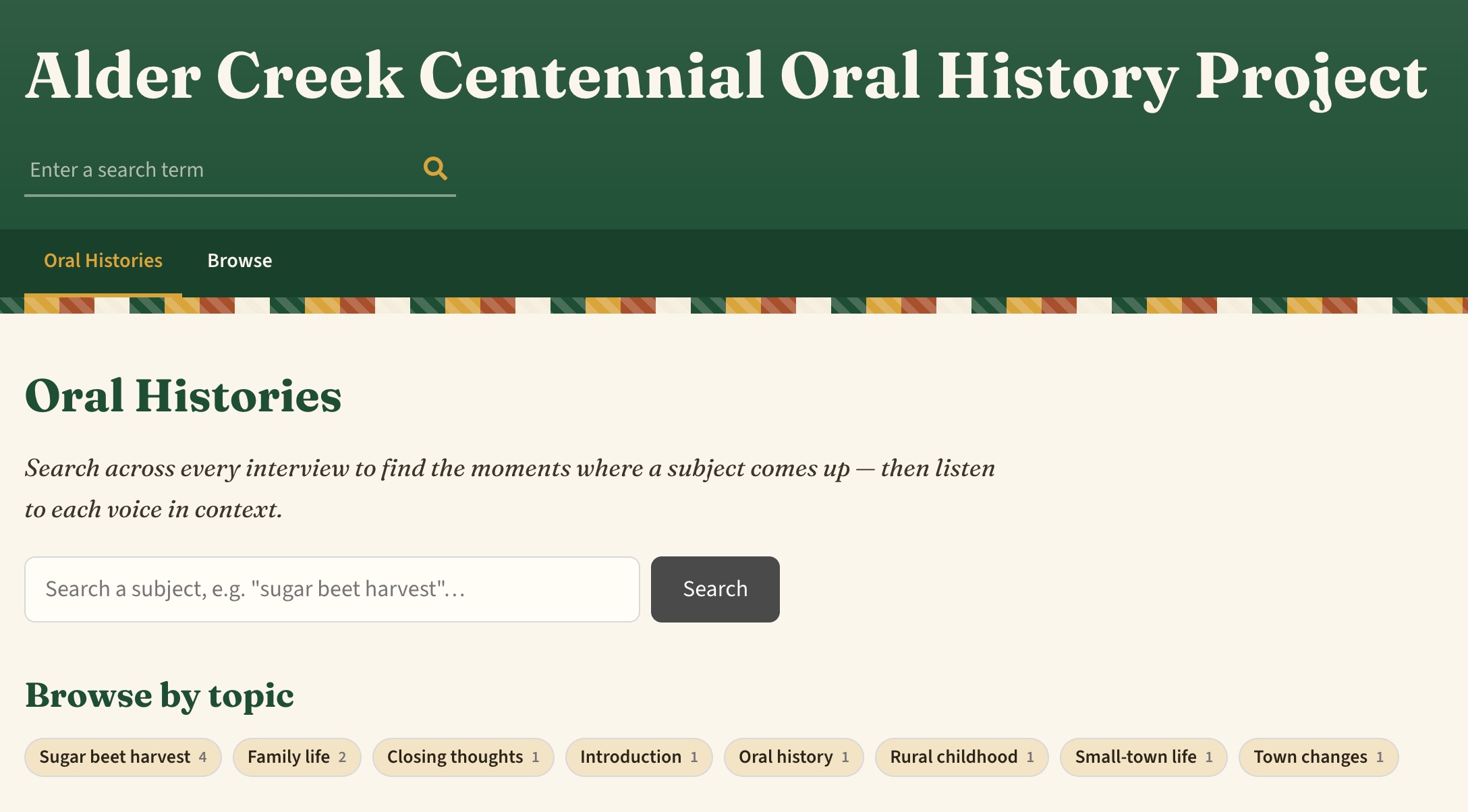
DEMO SITE: Alder Creek Centennial Oral History Project
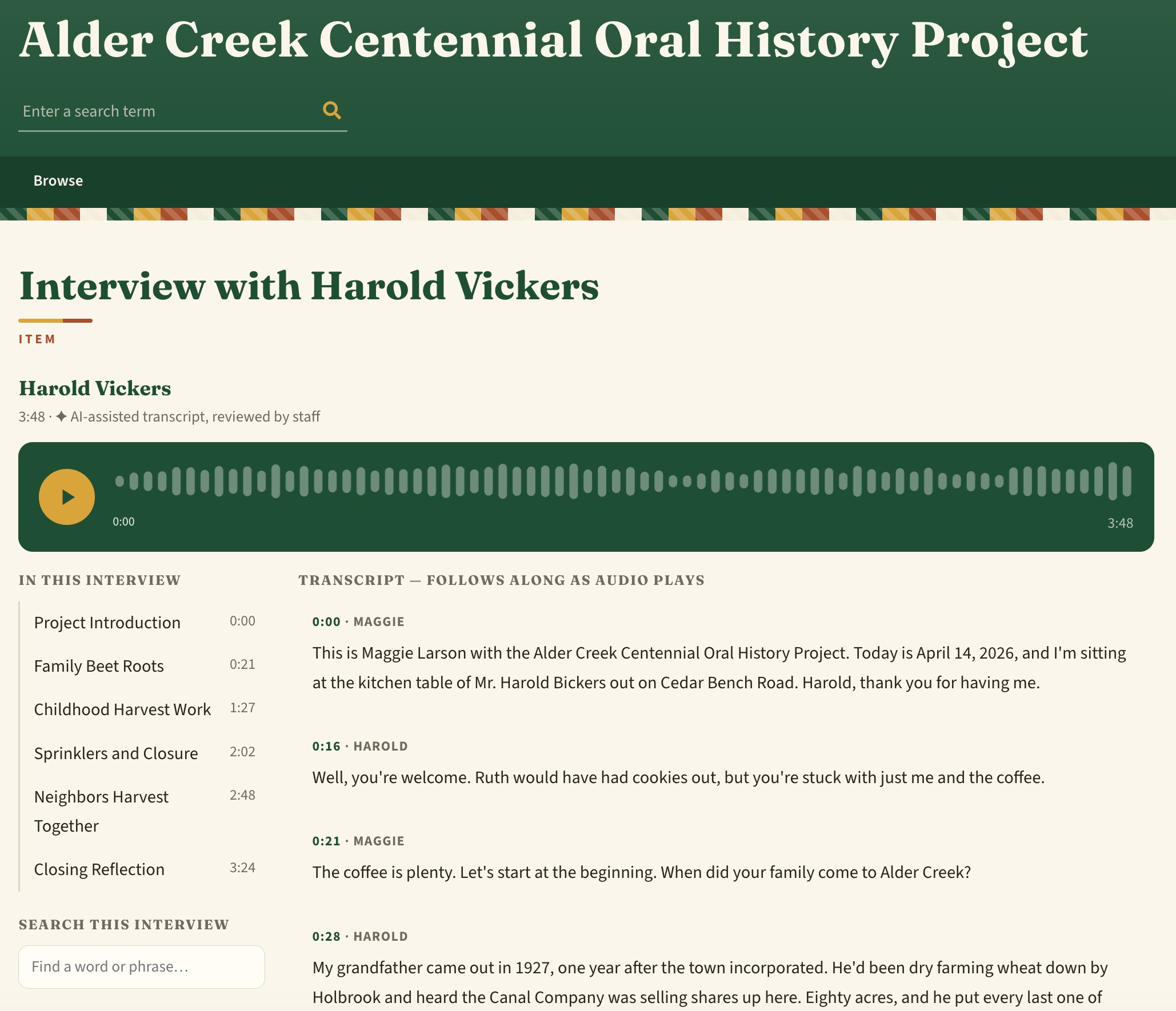
The AI does the tedious part
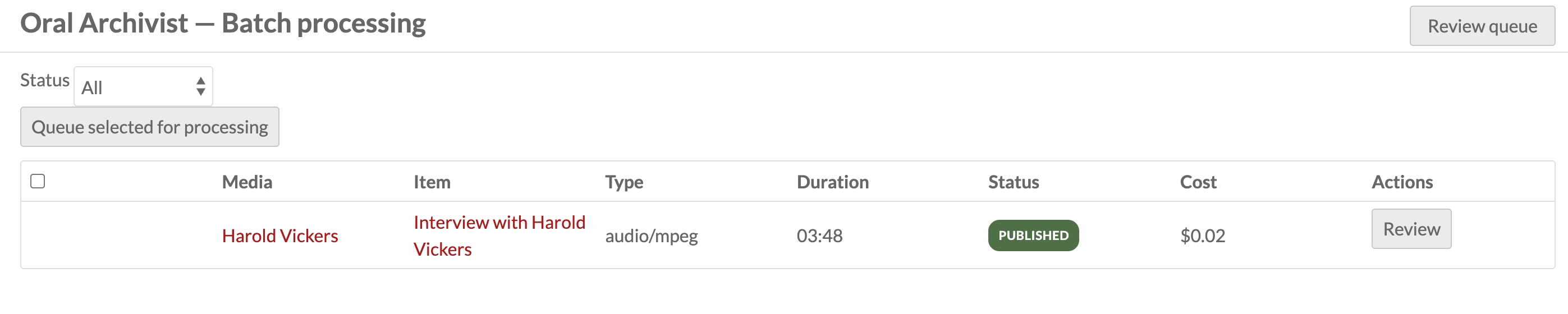
Point the module at any audio or video already in your collection — no re-uploading, no special formats. From there, a pipeline goes to work:
- Transcription with timing for every single word, so the text and the recording stay locked together.
- A cleanup pass that turns "um, well, we uh, we walked" into readable prose — while the verbatim original is always preserved.
- Chapters, drafted automatically, each with a title and topic tags, so a 90-minute interview arrives pre-organized into its natural sections.
- A summary, written into whichever metadata field you choose, so the interview description writes itself.
The module even flags the passages it's least confident about, so your reviewer knows exactly where to listen closely.
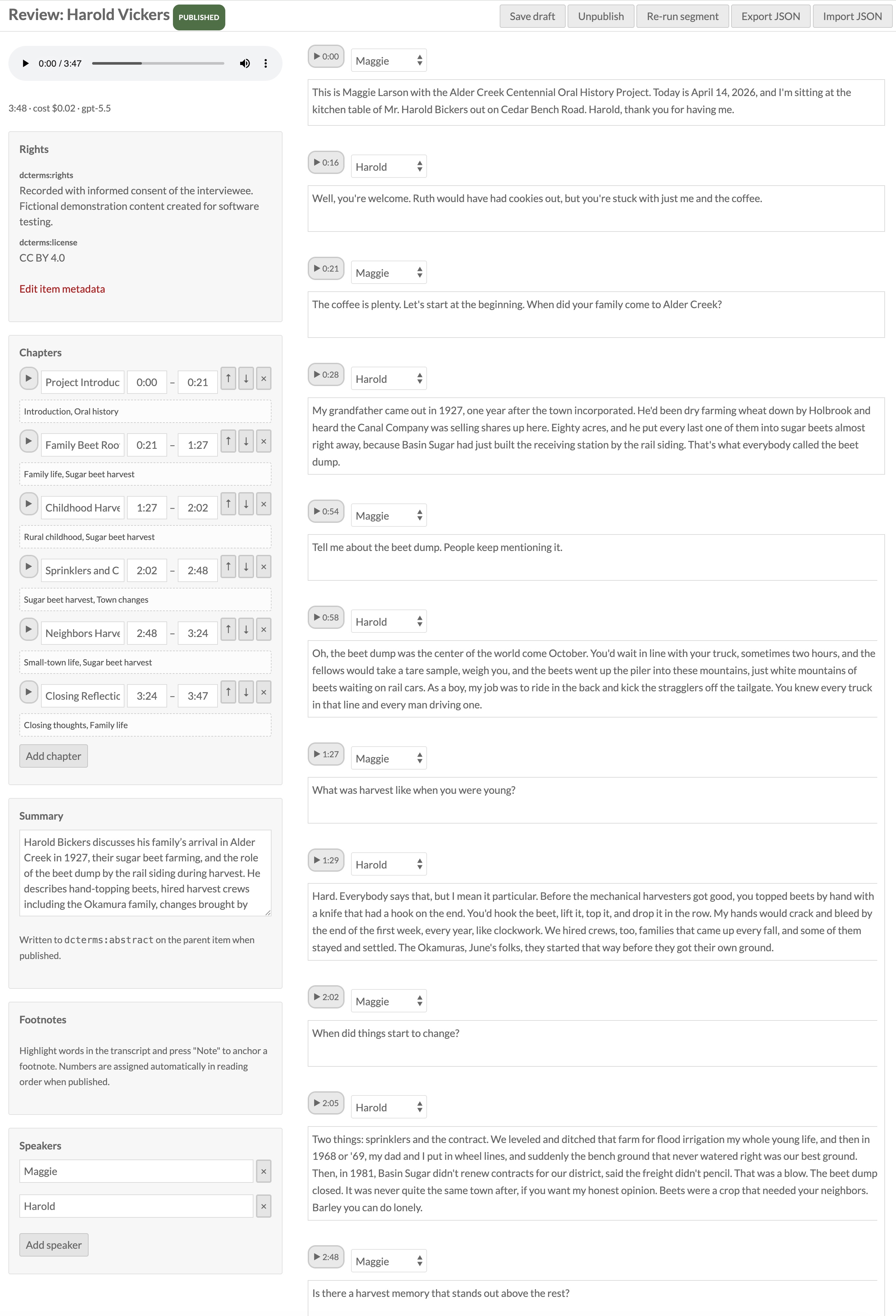
People stay in charge
Here's the part we care most about: the AI proposes, your staff decide. Every transcript lands in a review queue where a person can fix a name the AI misheard, split or merge paragraphs, label the speakers, retitle chapters, edit the summary — and then press publish. Visitors see a small note on every transcript: "AI-assisted transcript, reviewed by staff." Honest provenance, built in.
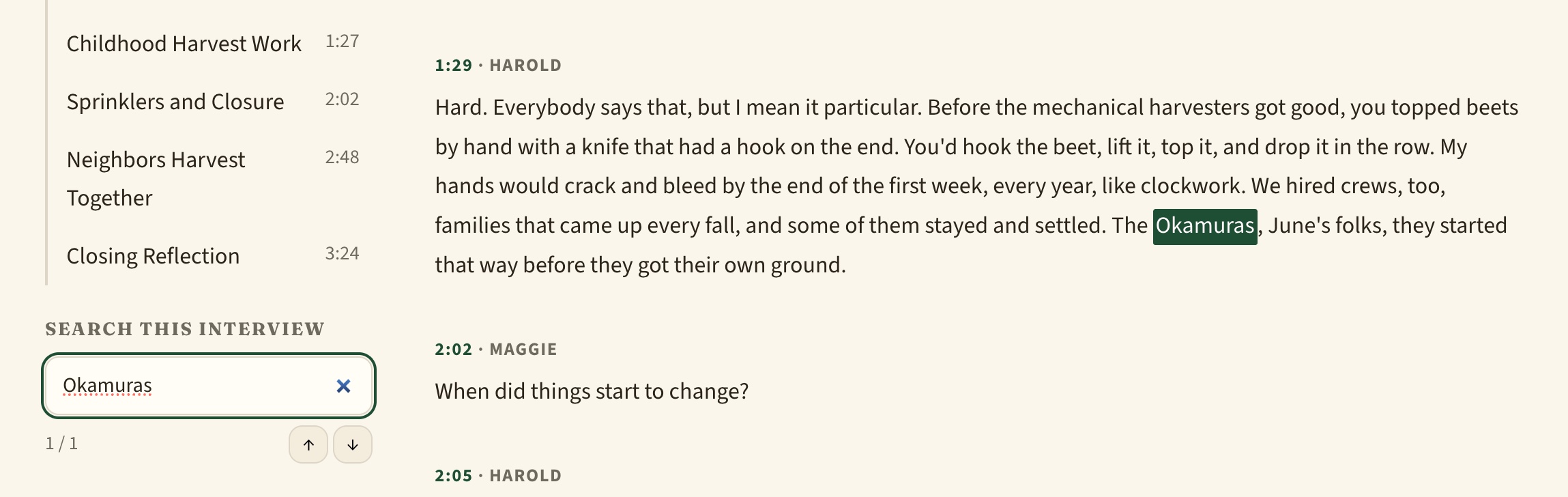
Reviewers can even anchor footnotes to specific words — highlight a phrase, attach a note, a web link, or an item from your own collection. When a narrator mentions the harvest crew, the 1943 photograph of that crew can appear right beside the words.
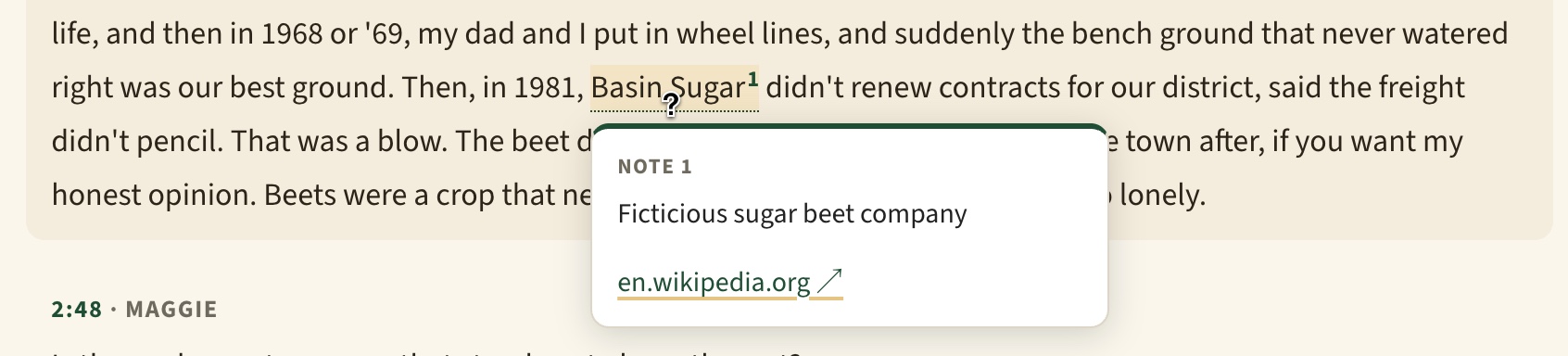
For your visitors: from search box to spoken moment
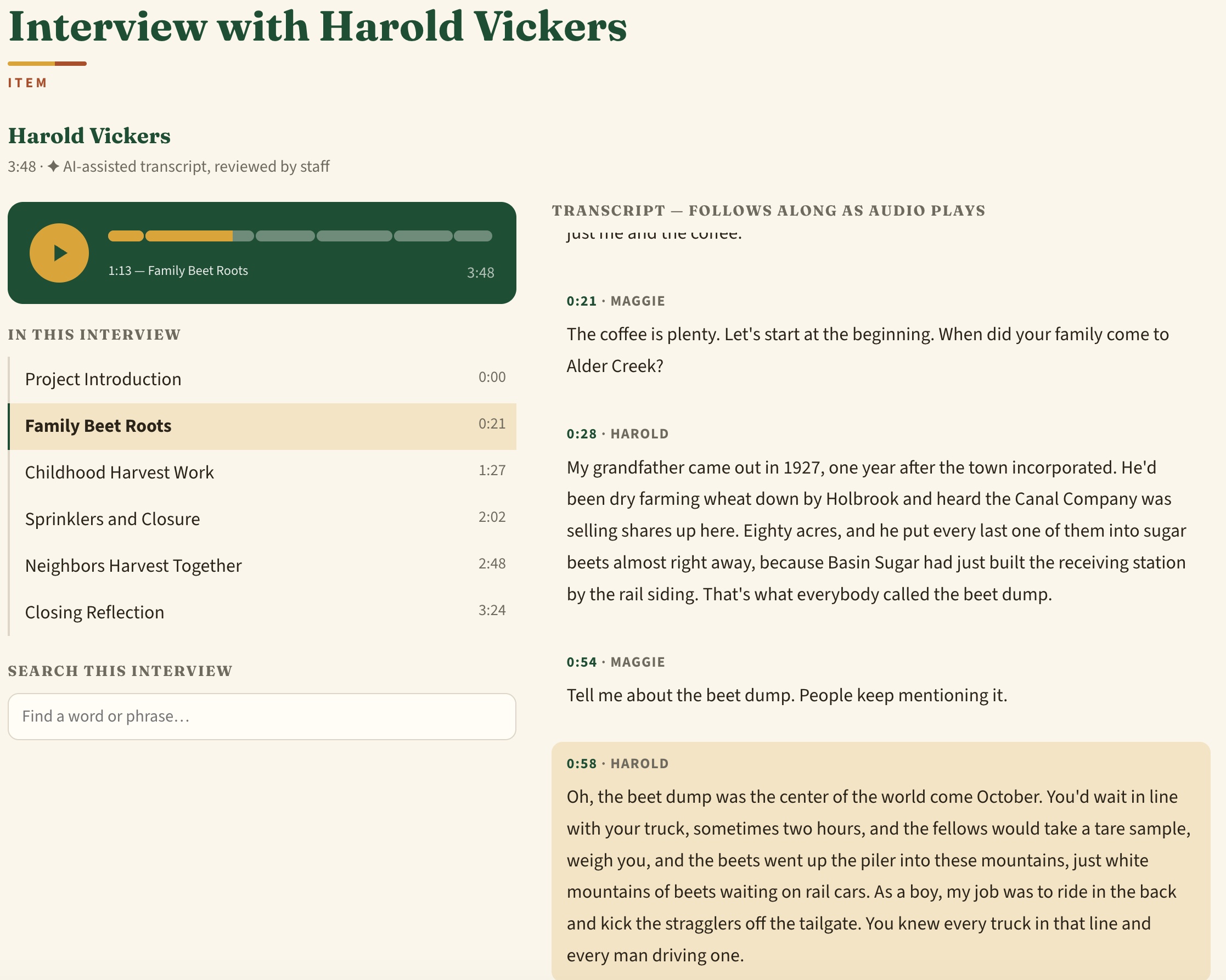
The public experience is where it all pays off. The transcript highlights and scrolls along as the recording plays. Click any paragraph to jump there. And the "Search this interview" box finds every occurrence of a word and links each one to the moment it's spoken — click a highlighted hit and the audio jumps right to it. There's also share-this-moment links, one-click citations, and a full transcript download.
More than a player: a discovery engine
Chapters aren't just navigation — they're searchable, linkable pieces of your collection. Every site gets an Oral Histories page where visitors can search across every interview and browse by topic. A topic page like "County fair" gathers every narrator who talked about it, from every interview, each clip one click from playing. Twelve interviews, one subject, every voice in one place.
Make it yours
Different projects want different presentations, so almost everything is a setting — per site, no coding required:
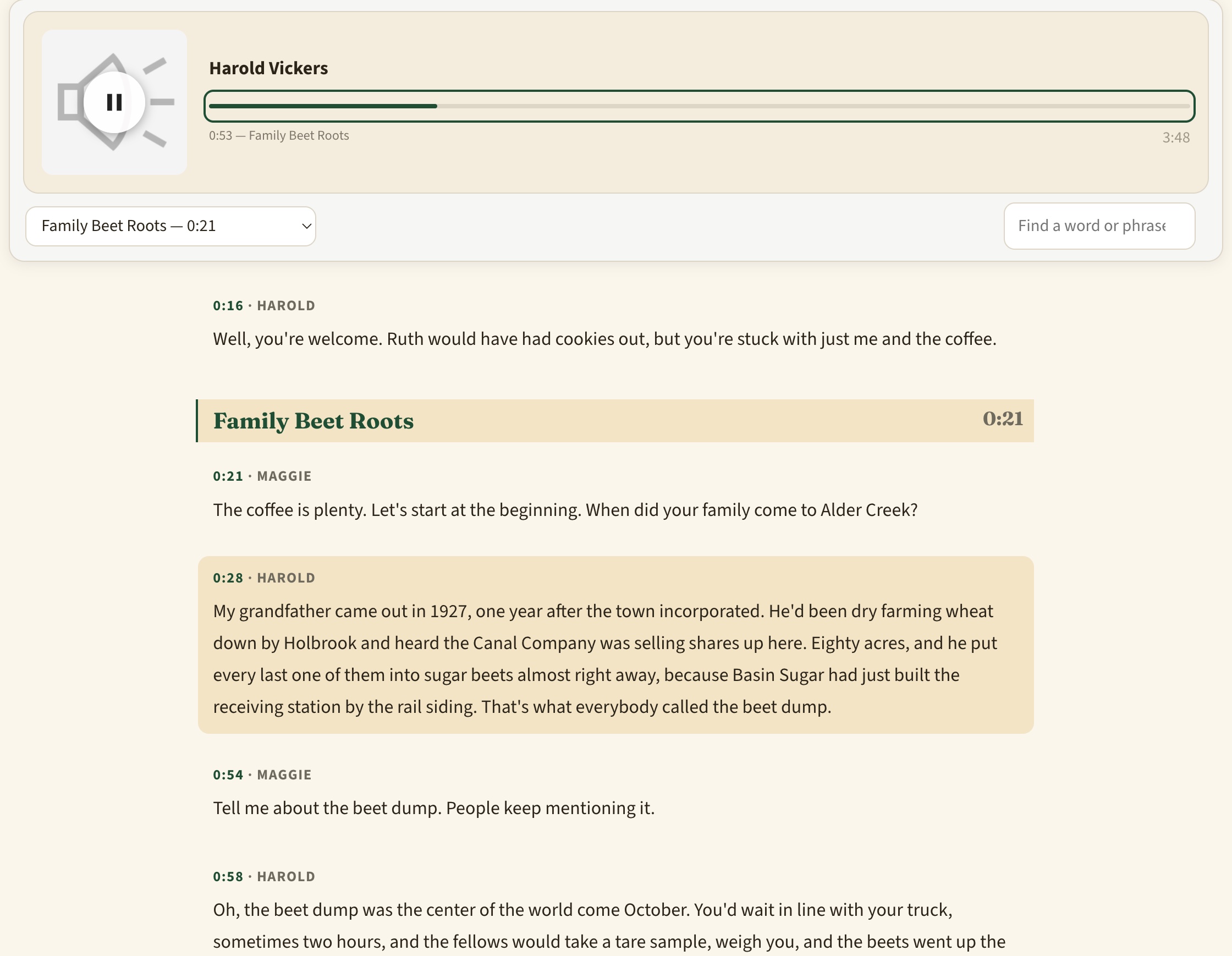
- Three page layouts: a classic view with a chapter sidebar; a side-by-side view with the player pinned next to the transcript; and a document view that reads like an article, with chapters as headings and a slim player that follows you as you scroll.
- Five player styles, from the browser's plain controls to a full waveform bar, a chapter-segmented timeline, a compact pill, and a cover-art card.
- Theme-friendly colors: every style inherits your theme's fonts and can be recolored with a handful of CSS variables to match any site.
What could you build with it?
- A community memory project where elders' interviews become a browsable, searchable topic map of local history.
- A veterans' or centennial archive where researchers find every mention of a place or event across dozens of narrators.
- A classroom collection where students cite exact spoken moments with timestamped links.
- A legacy transcript rescue: already have typed transcripts from years past? A simple import format brings them in with chapters and speakers — no AI processing required at all.
And practical guardrails are there for real institutions: monthly budget caps, per-interview cost estimates before you commit, and a free mock mode so you can trial the entire workflow before spending a cent.