Building a Native Desktop Chat App for Virtual Reference
In preparing to provide reference services to Portuguese-speaking students enrolled in BYU-Pathway Worldwide classes, I needed a way to communicate with them in Portuguese. The Library currently uses LibraryH3lp, and I didn't want to move away from it, but I did need to find a way to efficiently translate incoming messages. I tried copy/paste, existing desktop clients, and browser plugins, but they were clunky and not easy to manage. So I decided to build my own desktop application.
What It's Built With
LibraryH3lp uses the XMPP/Jabber protocol, and I used NativePHP to turn a Laravel web app into a real desktop application (which still feels a little like magic to me). The UI is reactive and snappy thanks to Livewire and Flux.
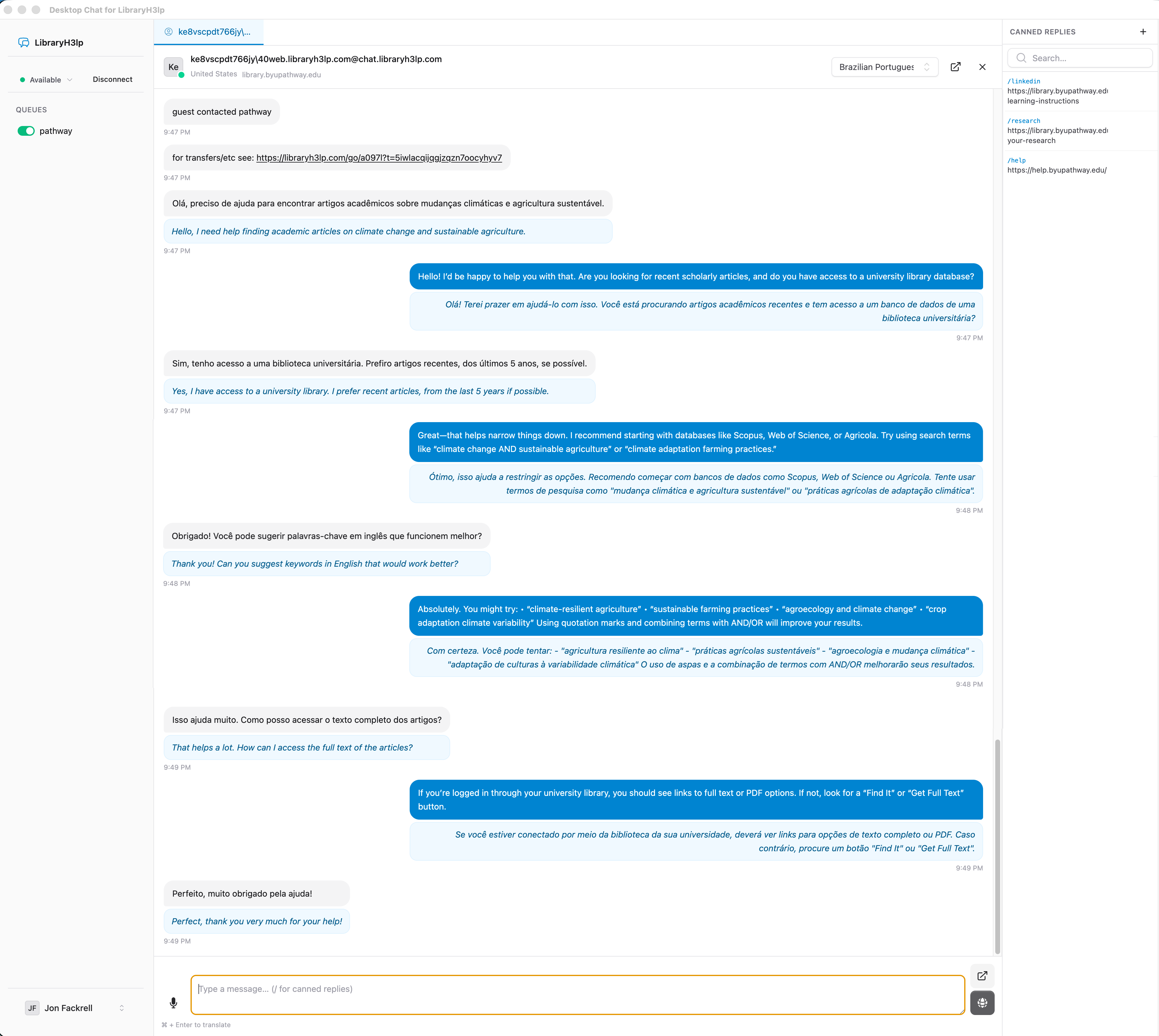
For the translation portion, I am using the DeepL API. When a chat comes in that is not in English, I can simply change the language, and all future incoming messages will be translated to English, and all outgoing messages will be translated from English to that language.
Additional Features
While I was at it, I decided to add a few more features just to make it easier to use.
- Voice to text using a WASM-based whisper.js library
- Easier canned replies
- Dock icon badges to show unread messages and desktop notifications
I also hate to admit it, but I regularly forget to log in to the web interface to start monitoring the chat queue. With the desktop app, I will be logged off when I close my computer and automatically logged back in when I open it back up. This will help me be more available to all Pathway students.
I'm genuinely excited to start using it for all of my virtual reference chats.