Who Did What and When: Inside the Audit Trail Module
Managing a collaborative digital collection means trusting multiple people with the ability to create, edit, and delete resources. That trust is easier to extend when you have a clear record of what actually happened. The Audit Trail module gives Omeka S administrators exactly that — an automatic, tamper-evident log of every significant action taken in the admin interface, with tools to browse, search, export, and clean up that history.
What Gets Logged
The module captures two categories of events.
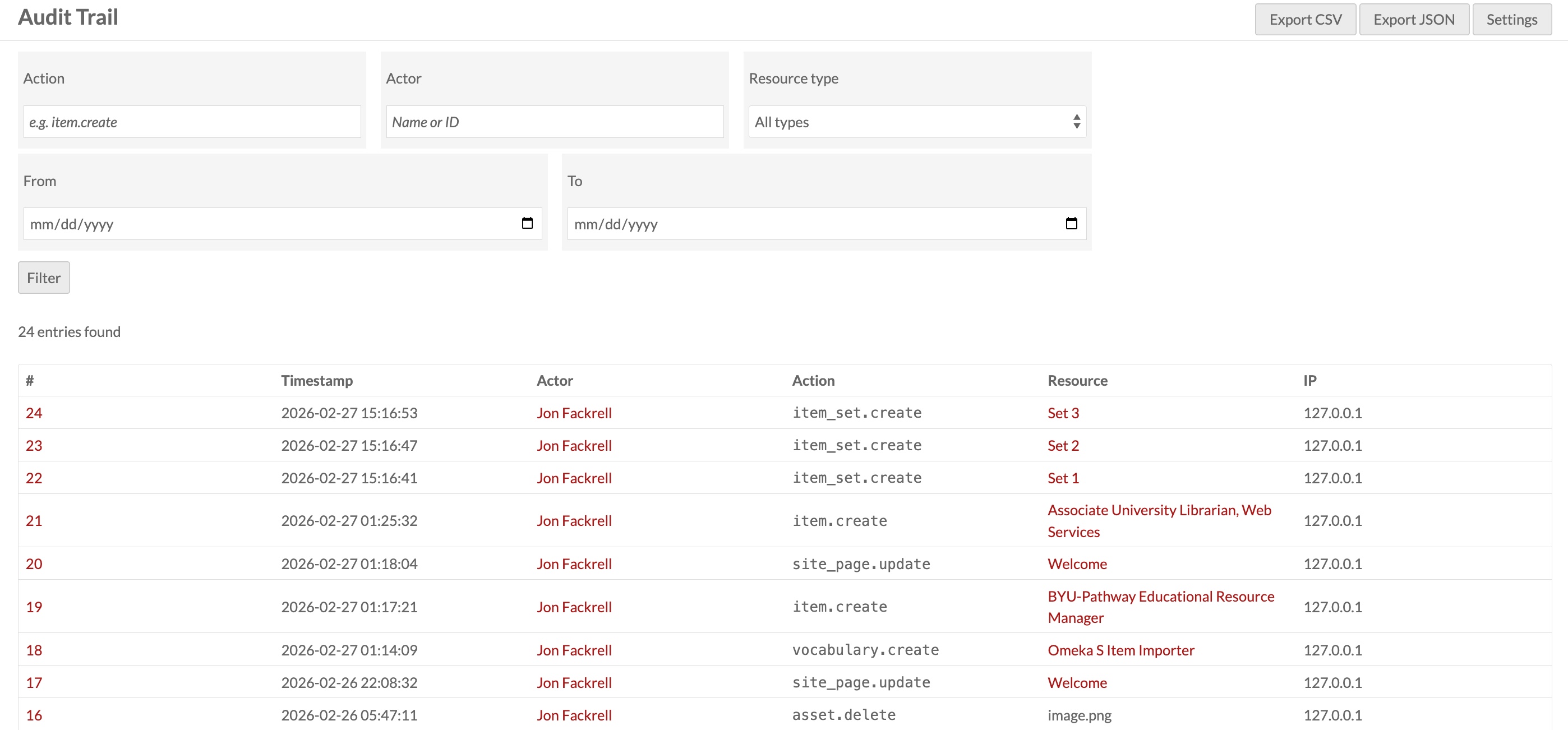
Resource operations — every create, update, and delete on items, item sets, media files, sites, site pages, vocabularies, resource templates, assets, and users. Each entry records the action type (e.g. item.update), the resource's display name, a direct link to its admin page, and the actor who performed it.
Authentication events — every login and logout, timestamped and linked to the user's profile.
Each log entry also records the actor's IP address and browser user agent, giving you the context to distinguish between an accidental edit and something more deliberate.
How It Hooks In
Rather than modifying any core Omeka code, the module attaches event listeners to Omeka's shared event system at the application level. A single listener on Omeka\Api\Adapter\AbstractAdapter catches api.create.post, api.update.post, and api.delete.post across every resource type — because every Omeka adapter registers itself under that common identifier, one attachment covers them all.
There's one edge case worth understanding: when you update an item in Omeka, the item adapter's hydrate() method directly manipulates the item's media files through Doctrine rather than going through the API manager. This means media changes made as a side effect of editing a parent item never fire an api.*.post event. The module handles this by adding a second set of listeners on Omeka's Doctrine entity events (entity.persist.post, entity.update.post, entity.remove.post) for the Omeka\Entity\Media class specifically. These fire during Doctrine's flush cycle, which catches every media mutation regardless of how it was triggered. A deduplication flag ensures that when a media file is updated directly through the API (which fires both the entity event and the API event), only one log entry is written.
Every handler wraps its work in a try/catch that swallows all exceptions and logs to PHP's error log as a fallback. A bug in the audit logging code can never break a primary request — the user's action always completes first.
Browsing the Log
The full audit log is at Admin → Audit Trail. It's paginated and filterable by action type (partial match, so create shows all creates across every resource), actor name or ID, resource type, and date range. Clicking any entry opens a detail page with the full record including IP address, user agent, and any extra context captured with the event.
Activity at a Glance
Two surfaces bring recent activity into the normal admin workflow without requiring a dedicated page visit.
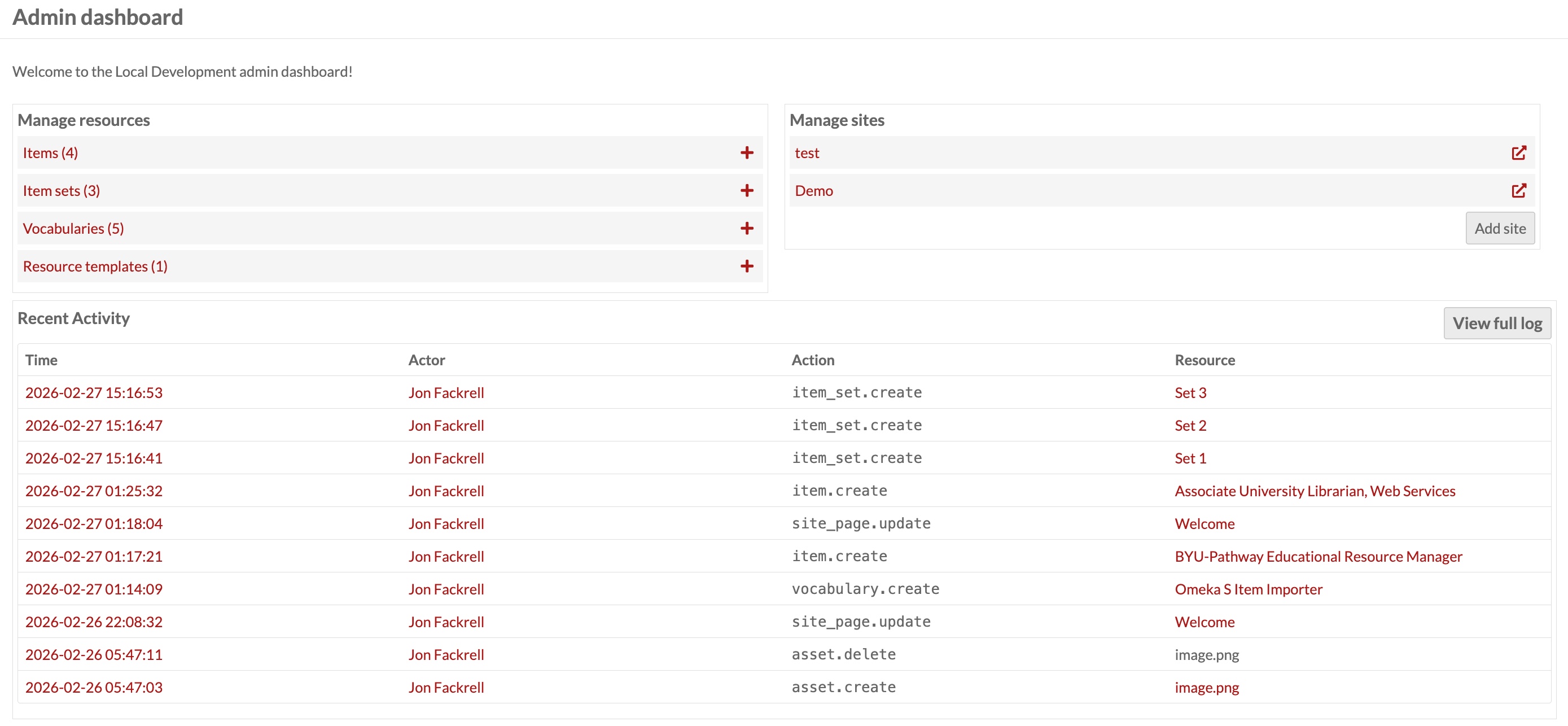
The admin dashboard shows the 10 most recent log entries in a widget at the bottom of the admin home page — a quick pulse check on what's been happening across the system.
The user profile page gains an audit history panel showing all activity for that specific user, with its own filters for action type and date range. This makes it straightforward to review everything a particular contributor has done without searching the global log.
Exporting the Log
The log index page offers Export CSV and Export JSON buttons. Any filters applied to the current view are preserved in the export, up to a limit of 10,000 rows. The JSON format includes all fields including extra context data; the CSV is suitable for import into a spreadsheet or SIEM system.
Retention and Automatic Cleanup
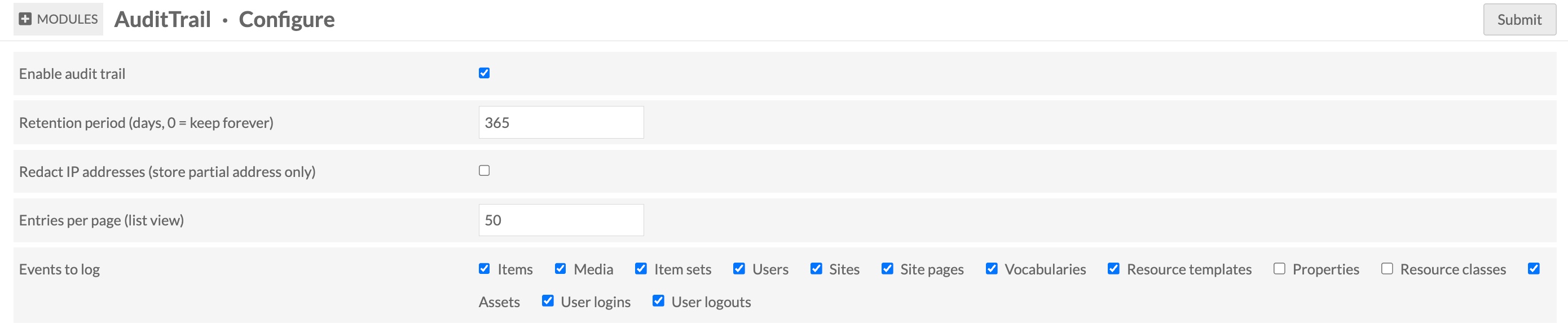
The log table will grow indefinitely without some form of housekeeping. The module provides a configurable retention period — by default, entries older than 365 days are eligible for deletion. Setting it to 0 keeps records forever.
Purging can be triggered two ways. Global administrators see a Retention Purge button on the log page; clicking it dispatches a background job that deletes eligible entries in batches of 1,000 rows, checking between each batch whether the job has been asked to stop. For unattended operation there's also a CLI script:
# Respect the retention period configured in Omeka settings

php modules/AuditTrail/bin/purge-audit-log.php --quiet

# Preview without deleting anything

php modules/AuditTrail/bin/purge-audit-log.php --dry-run

# Override the retention period for this run

php modules/AuditTrail/bin/purge-audit-log.php --days 90

# A nightly cron entry at 2 AM keeps things tidy automatically:

0 2 * * * /usr/bin/php

/var/www/omeka-s/modules/AuditTrail/bin/purge-audit-log.php --quiet
Privacy Controls
Two settings address data minimization concerns. Redact IP addresses replaces the last octet of IPv4 addresses (or the last group of IPv6 addresses) with zeros before writing to the database, so the log retains enough network context to be useful without storing individually identifiable location data. Events to log is a checkbox list of resource types and event categories — if your deployment doesn't need to audit vocabulary changes or user login times, you can exclude those from capture entirely.
Permissions
The log is visible to site administrators and global administrators. Only global administrators can run the retention purge job. Editors, reviewers, and authors have no access to the audit log.